Paper timesheets, photos sent by messaging apps and spreadsheets consolidated by hand.
Transcription errors and delaysDSA Core · Projects and Works
Construction management for real estate projects.
Engineering, execution, certification and settlement on a single platform. The measurement recorded on site, with its evidence, is the data that progress, cost, client invoicing and payment to crews and subcontractors depend on.
- 6phases, from design to settlement
- 11automatic checks on every measurement
- Mobileon-site recording, offline too
Operational context
Where control is lost during execution.
For developers, build-to-rent investors and general contractors, cost overruns, delays and disputed valuations share a common cause: information about the work done reaches the office late, without supporting evidence and outside the management system.
No evidence of where, when and by whom each unit was executed.
Certifications disputed or rejectedPercentages estimated by the site manager, not calculated from the work done.
Deviations detected lateManual collection and reconciliation every period.
Longer collection timesCrew and subcontractor output calculated in spreadsheets.
Duplicate payments and lost marginOn-site consumption is not reflected in the warehouse.
Actual cost unknownApps that need coverage in a trench, on a roof or in a rural area.
Back to paperPermits, drawings and land parcels managed in separate folders.
Works started without authorisationAn ERP handles accounting, purchasing and invoicing. On-site execution —measurements, evidence, piecework and permits— needs a dedicated system connected to it.
Full cycle
Six phases, one system and one reference data point.
Each phase uses the information generated in the previous one. Records are not duplicated across departments and spreadsheets are not reconciled at period close.
- 1DesignEngineering, deliverables, permits and land parcels
- 2PrepareBudget, schedule, resources and materials
- 3ExecuteOn-site measurement with evidence, offline
- 4ControlSupervision, actual progress and actual cost
- 5CollectCertification, invoice and retention
- 6PayPiecework, settlement and self-billing
Reference data
The approved measurement.
Sealed photo, GPS position, crew, quantity and material. That record drives:
- The physical and financial progress of the works.
- The actual cost of labour and materials.
- The stock issue from the warehouse.
- The certification and the client invoice.
- Piecework and settlement for crews and subcontractors.
On-site recording
On-site measurement with verifiable evidence.
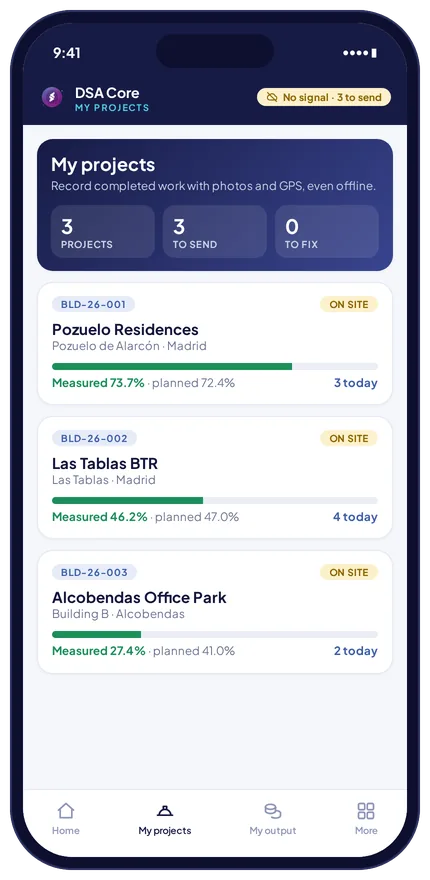
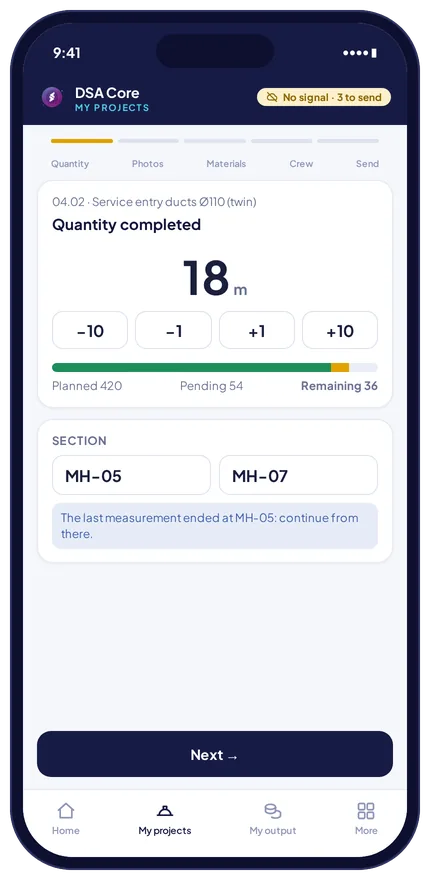
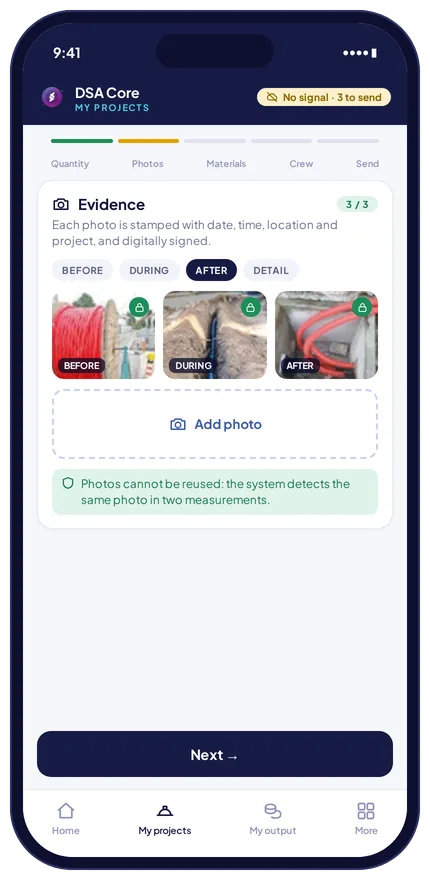
The technician records the work done from a mobile phone: quantity against budget, before, during and after photos, material and crew.
- Sealed evidence. Each photo carries a SHA-256 hash, GPS position, date and time. The system prevents the same photo from being reused in two measurements.
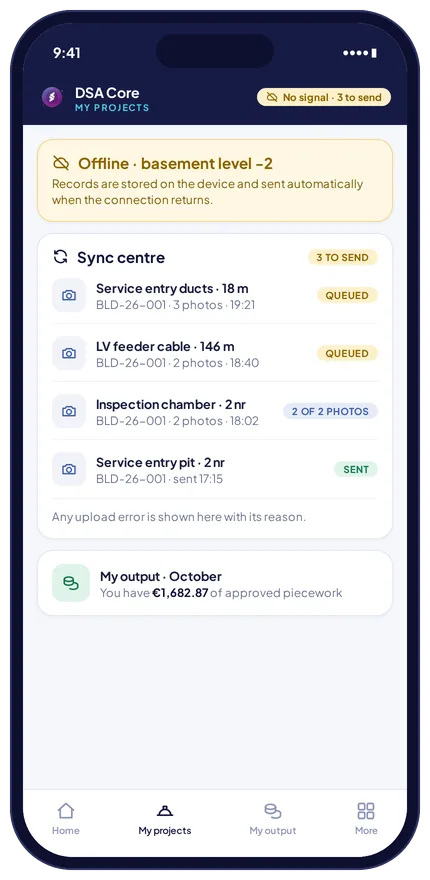
- Offline operation. Records are stored on the device and synchronised automatically when coverage returns, photo by photo. No record is discarded without warning.
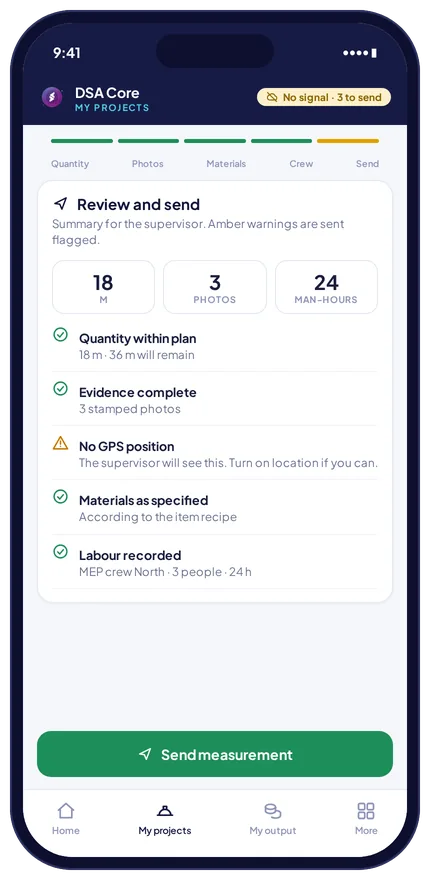
Eleven automatic checks on every measurement.
They flag the measurement for the supervisor to review. They do not block recording on site.
Recorded outside the works boundary.
Measurement without a position.
Accuracy below the threshold.
Exceeds what is pending on the line item.
Consumption differs from the theoretical amount.
Used in another measurement.
Below the required minimum.
Synchronised after the deadline.
Device clock altered.
Taken before the work was carried out.
Position outside the works.
Each technician checks their own output and approved piecework from the mobile app.
Supervision
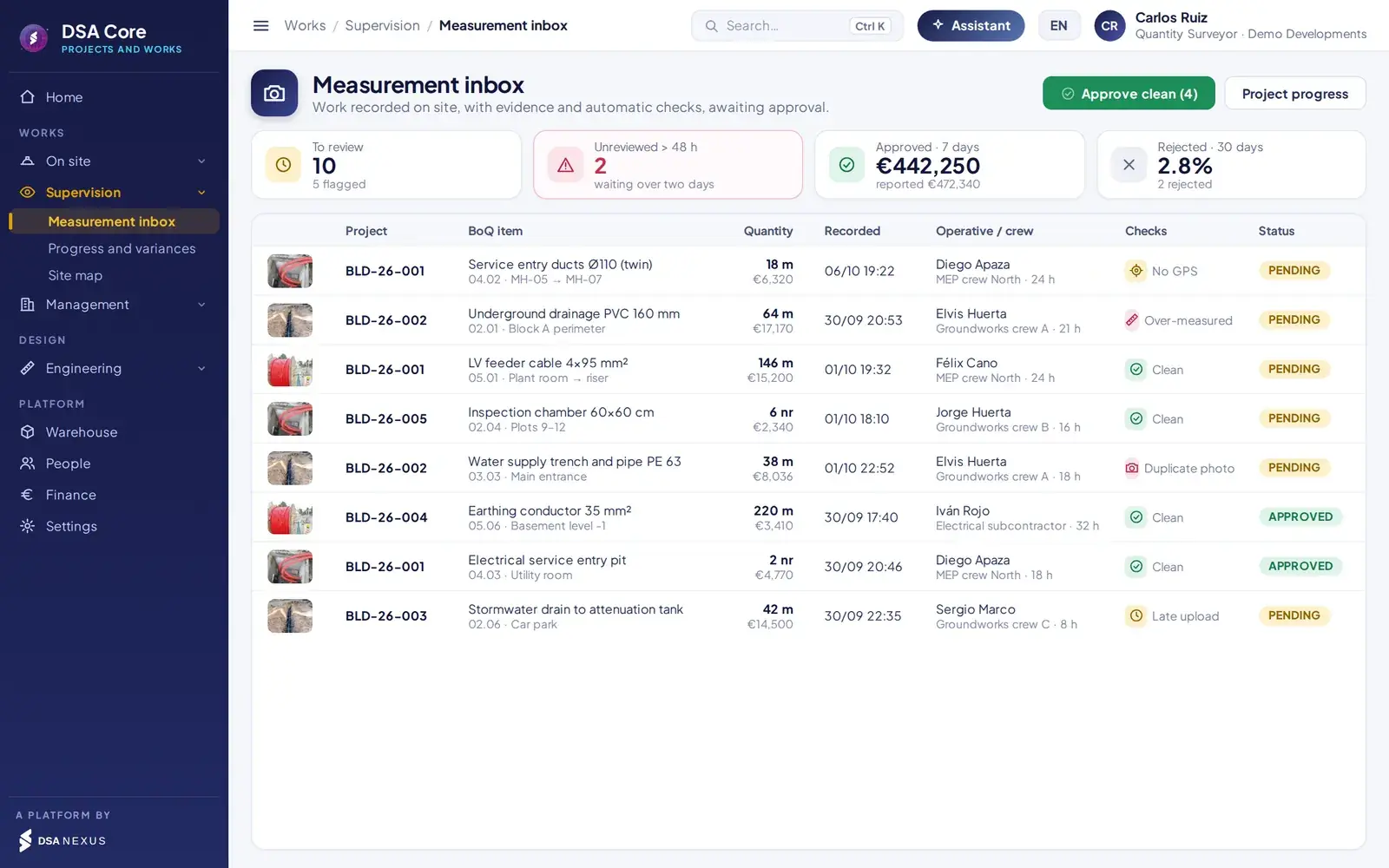
Measurement review and approval.
The technical office sees each measurement with its evidence, the checks that flagged it and how it fits the line item before approving it.
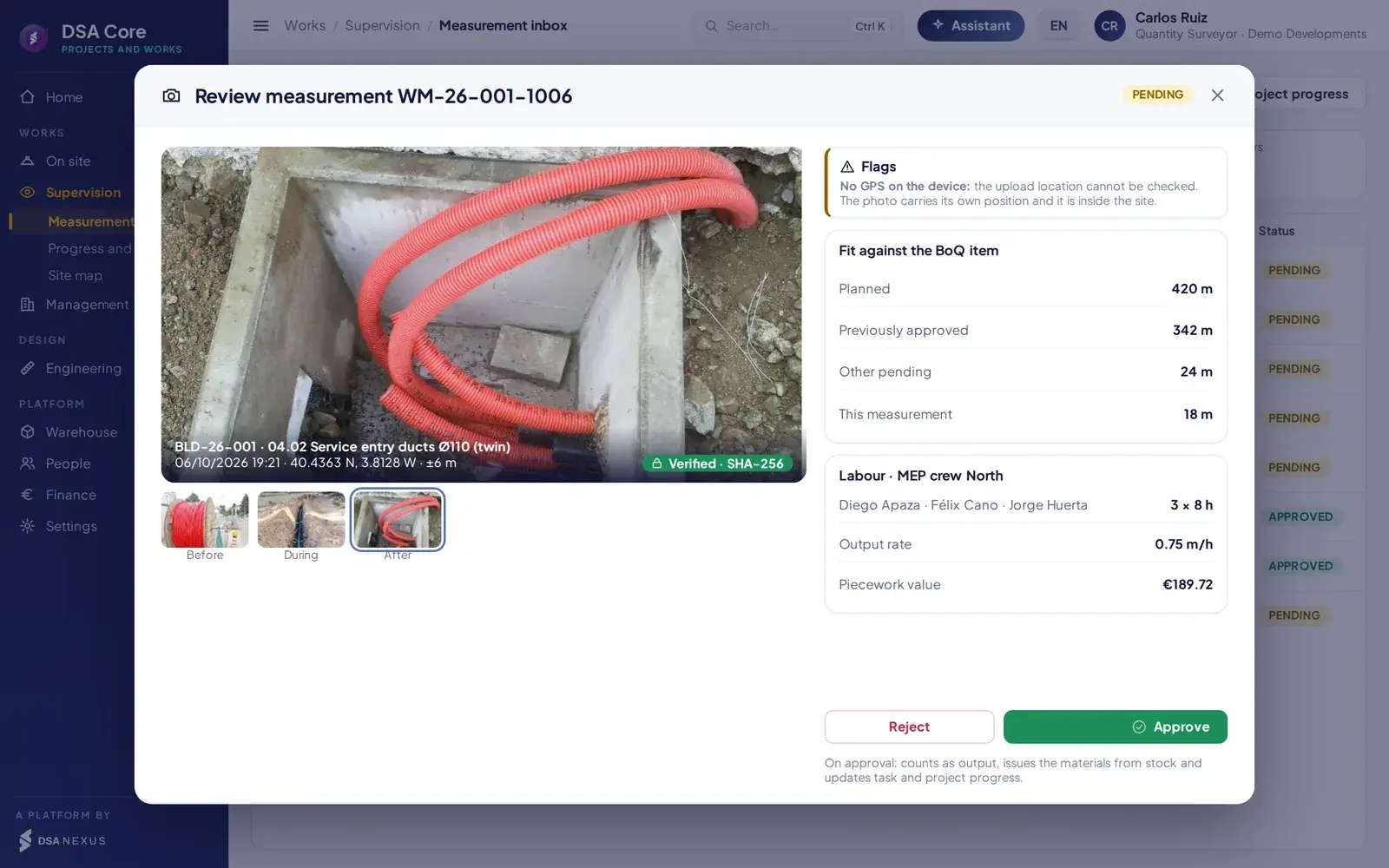
- 1Site photo sealed with date, position and SHA-256 hash.
- 2Checks that have flagged the measurement.
- 3Fit within the line item: planned, approved and pending.
- 4Crew, hours, productivity and calculated piecework.
On approval
A single operation updates warehouse, cost, progress and piecework.
- Records the warehouse issue of the material consumed.
- Calculates the actual cost of labour and materials.
- Updates the progress of the task and of the works.
- Assigns the output and the piecework to the crew.
- Measurements with no active checks can be approved in bulk.
Financial control
From approved measurement to certification and payment.
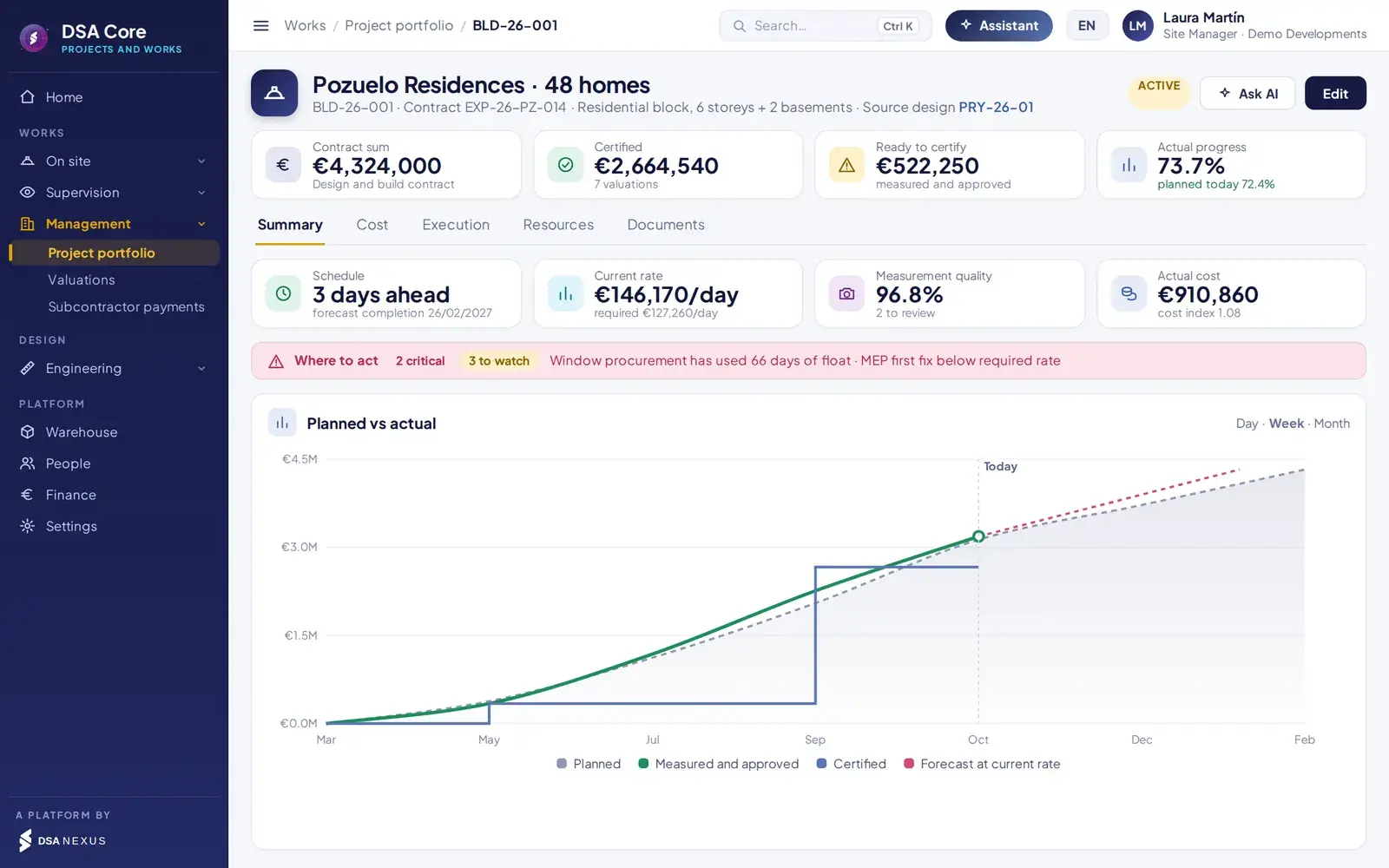
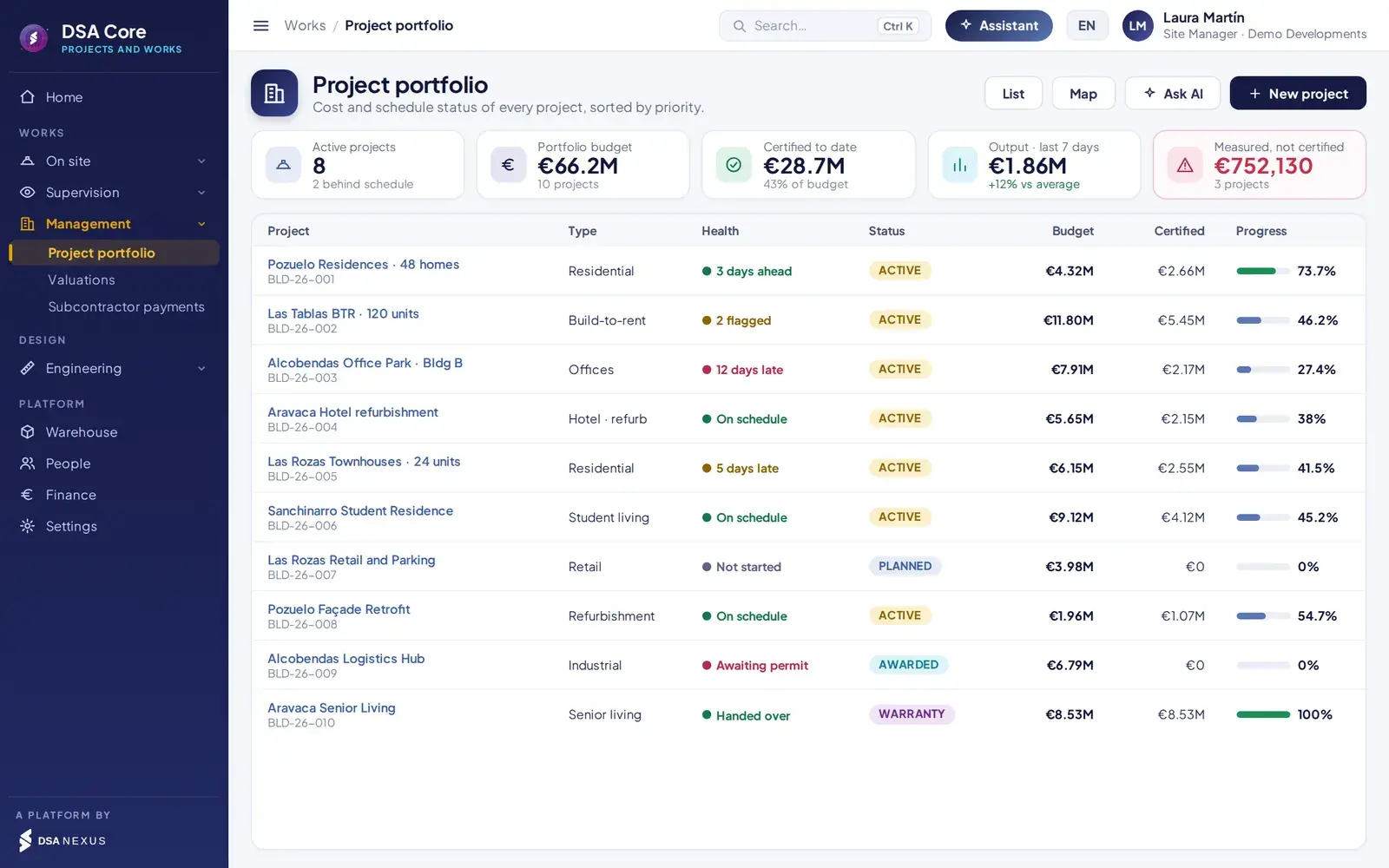
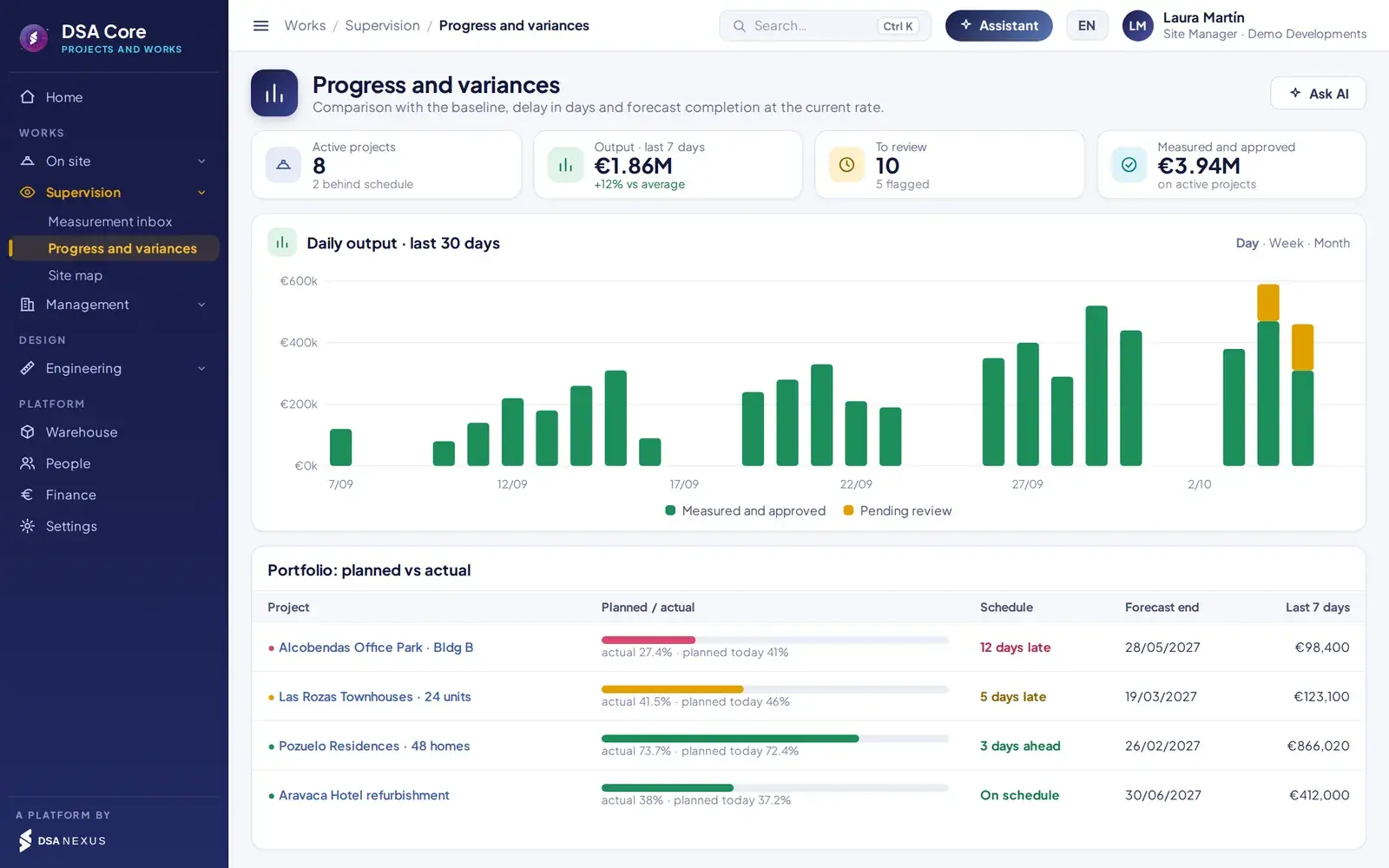
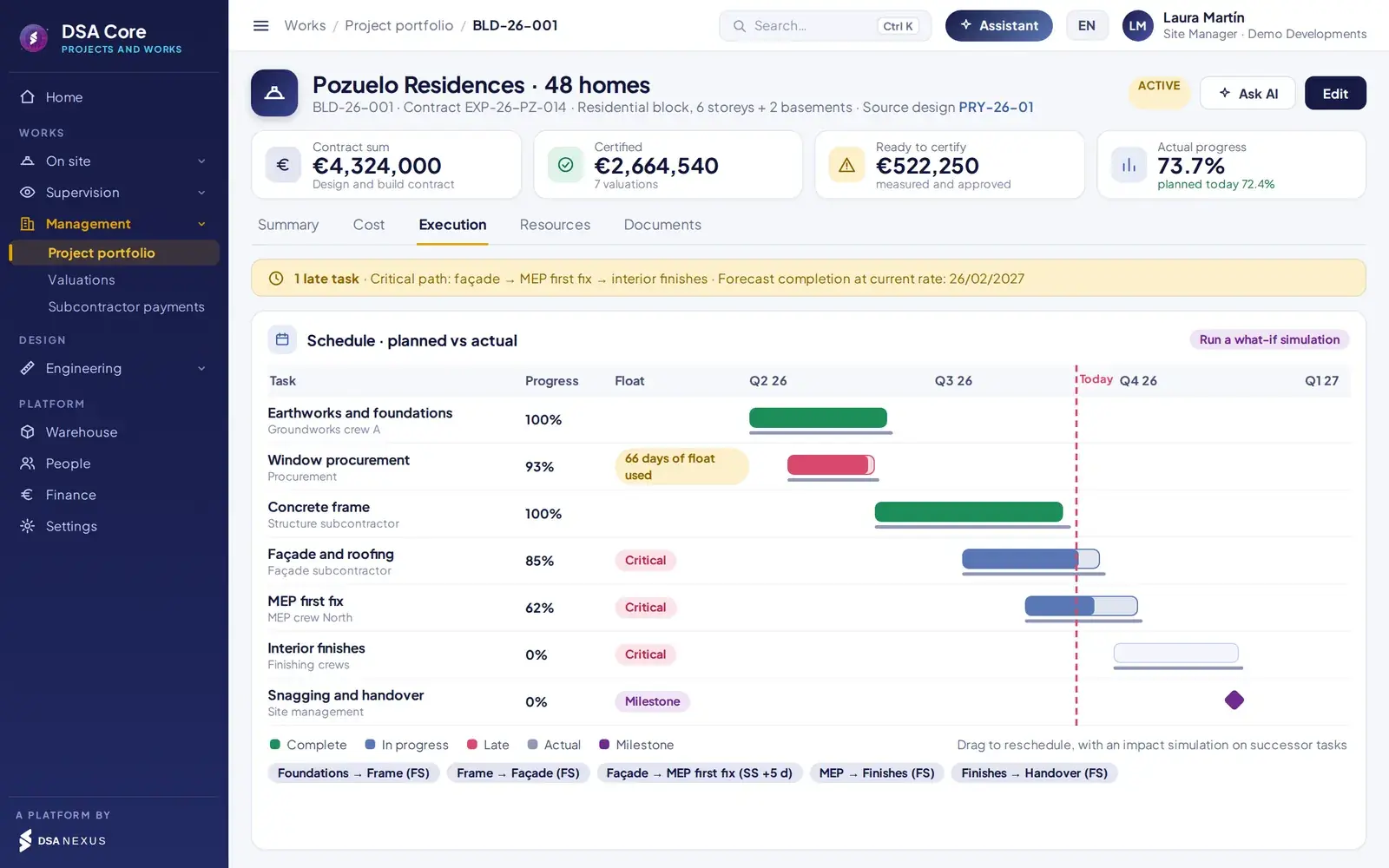
Physical and financial progress calculated from what has been measured and compared with the plan. Earned value, S-curve, delay in days and end date at the current pace.
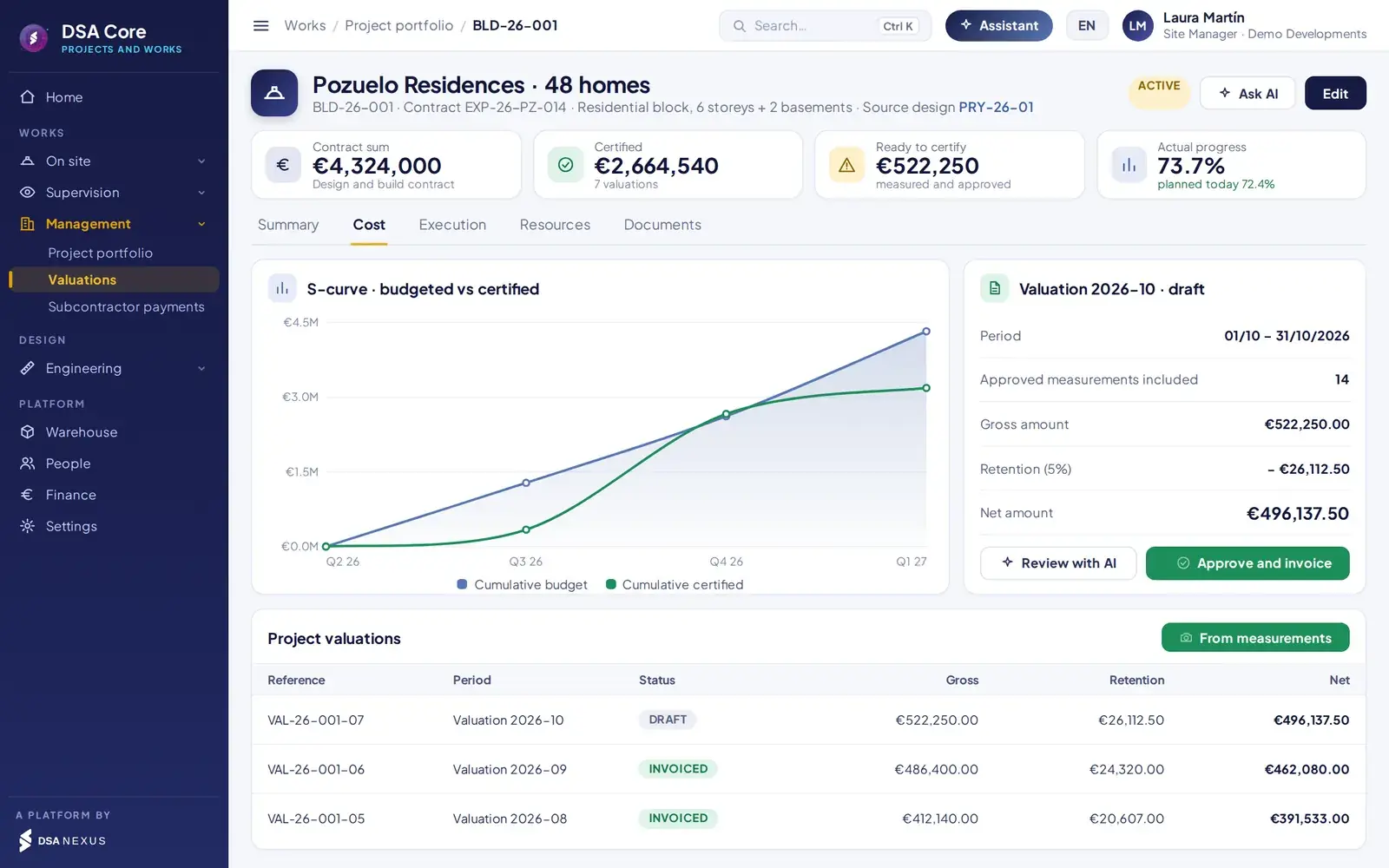
Generated from approved measurements, capped at the budget, with retention and an automatic sales invoice.
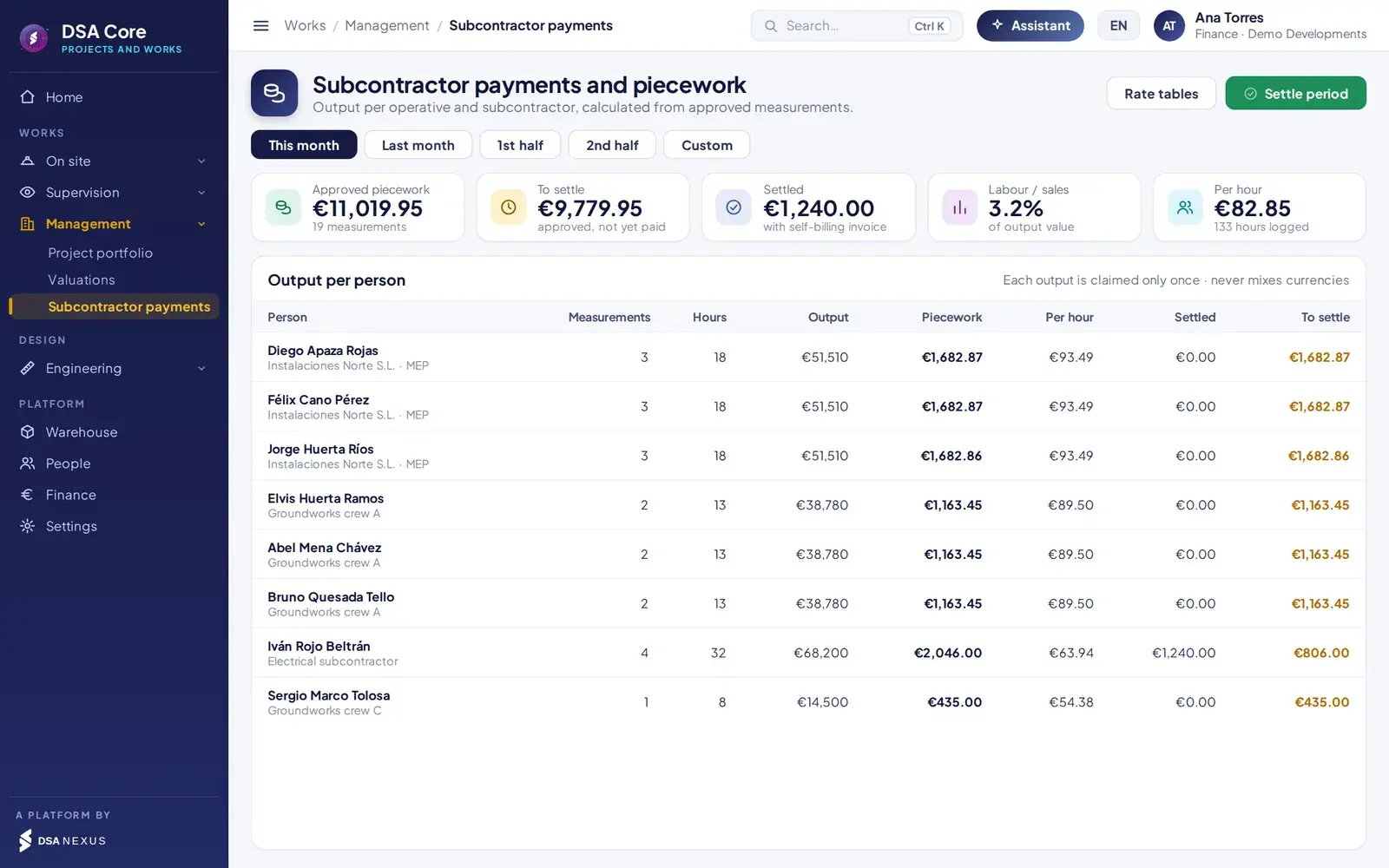
Rate per line item, allocation by hours within the crew and settlement with self-billing. Each output is settled only once.
Engineering
From approved design to authorised works.
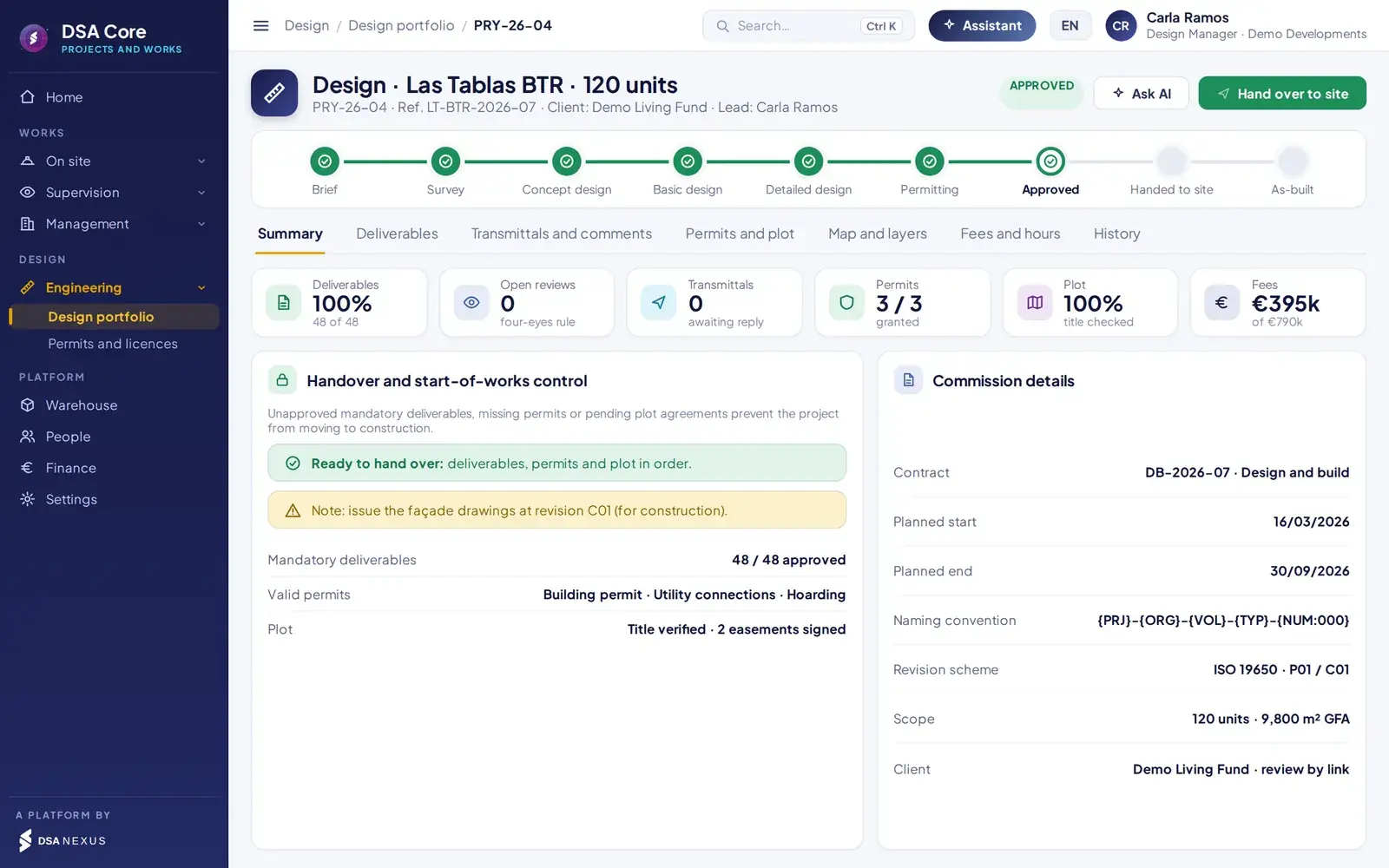
The project record brings together the phases of the assignment, deliverables, transmittals, permits, land parcels, fees and handover to works.
Engineering projects
Deliverables, permits and land parcels in the same system as the works.
- Deliverables according to ISO 19650, with template-based coding configurable by project type.
- Four-eyes review: the author of a revision cannot approve it.
- Transmittals and client portal with access by link and a 6-digit code. The client only sees approved revisions.
- Permits and land parcels with expiry dates, alerts and personal data protection.
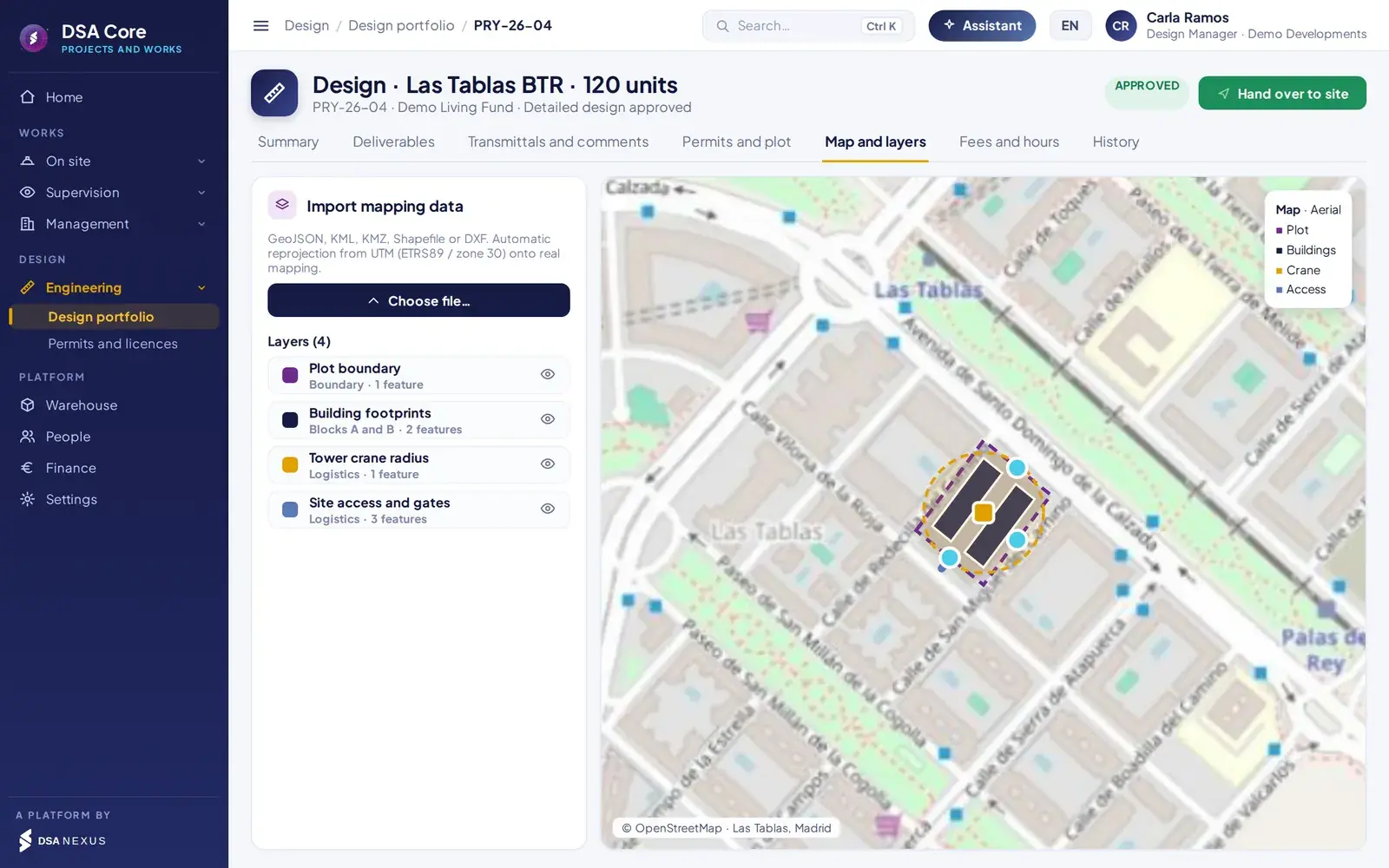
- GeoJSON, KML, KMZ, Shapefile and DXF on real mapping. Milestone-based fees with their invoice.
Start-of-works control. A job cannot move to execution if mandatory approved deliverables, valid permits or land parcel agreements are missing.
Automation
Rule-based agents built into the platform.
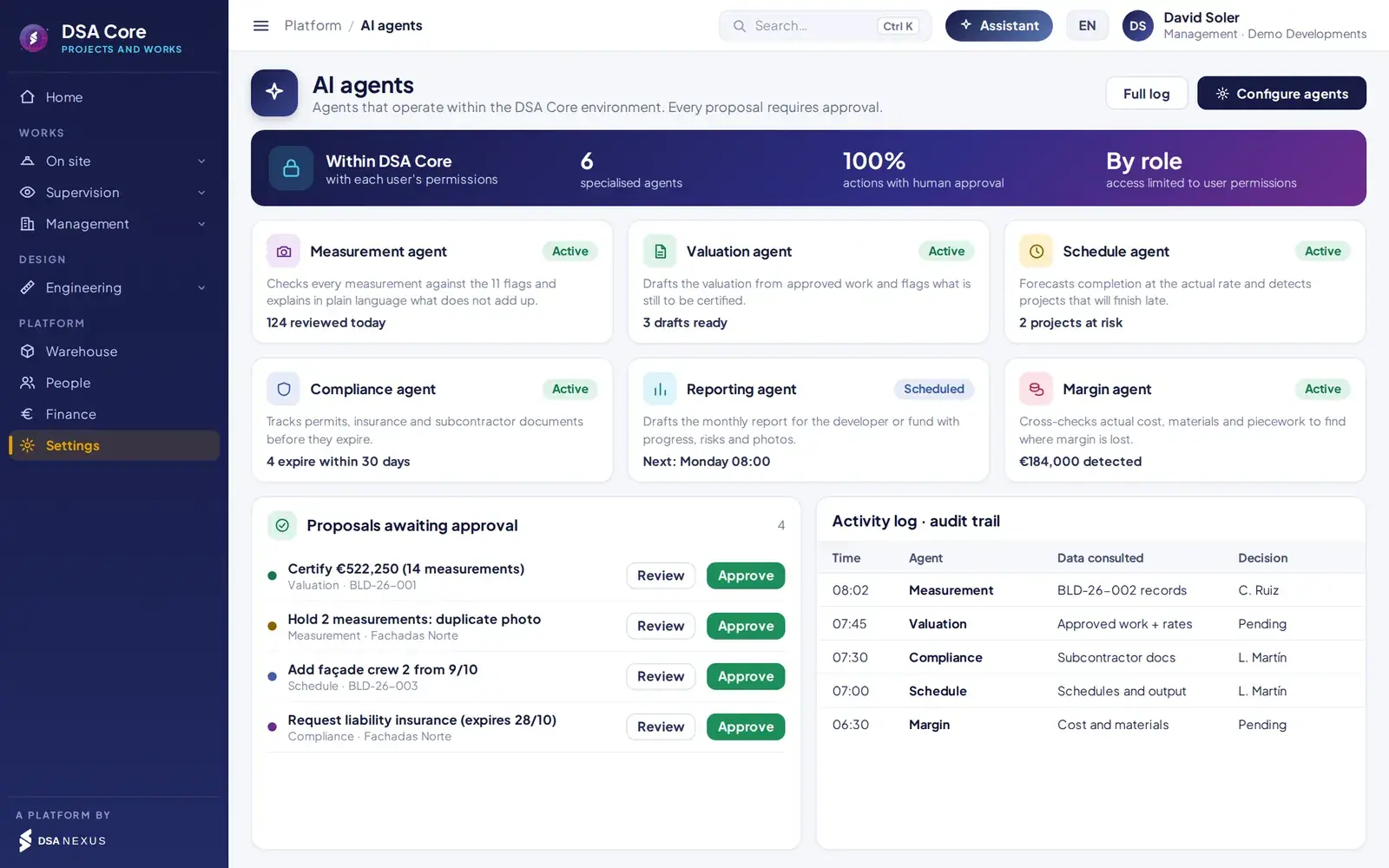
Agents specialised in measurements, certification, deadlines, documentation and margin. They process information within the DSA Core ecosystem, with each user’s permissions, and every proposal requires human approval.
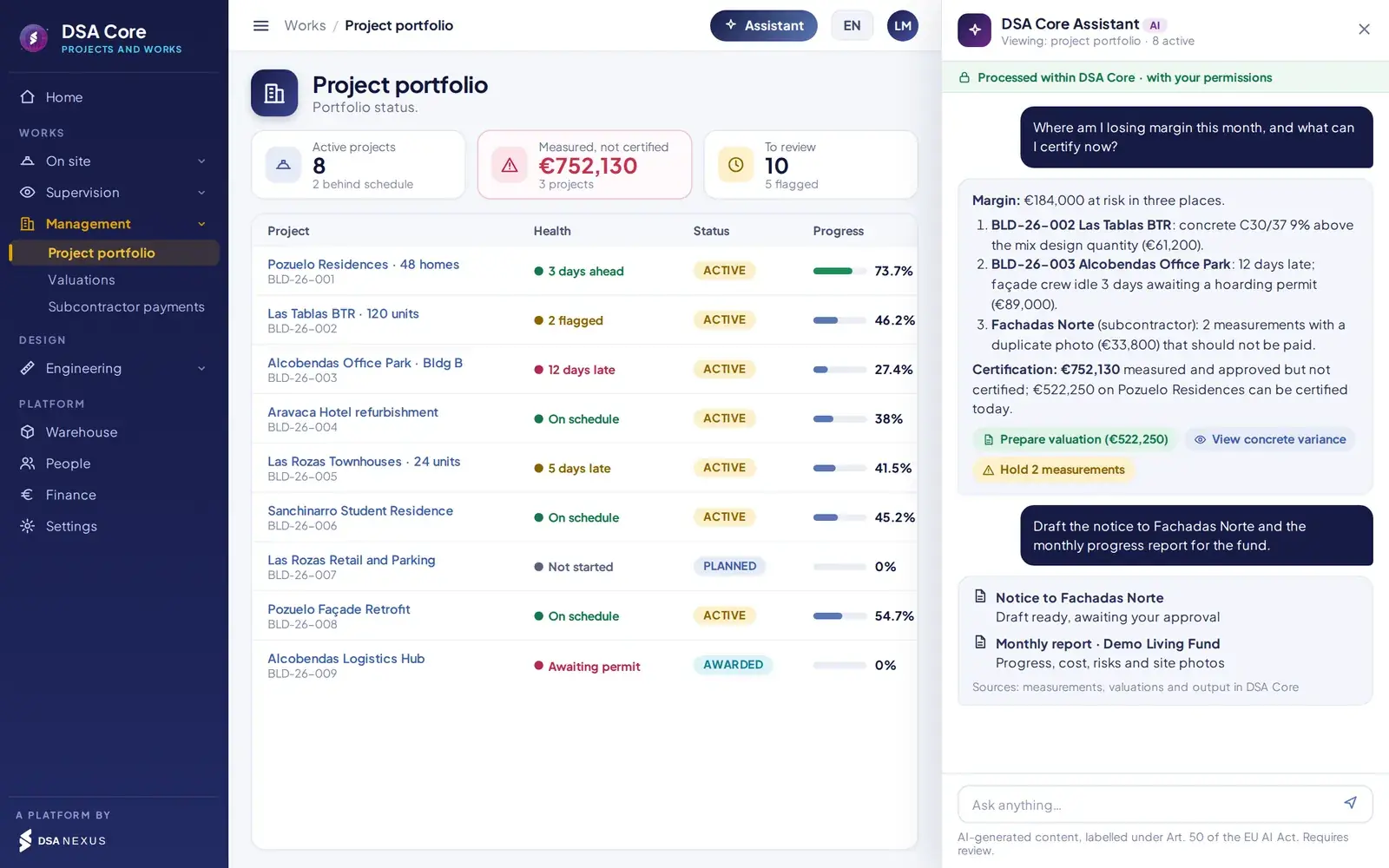
Available agents
Analyses each measurement against the 11 checks and explains the issues.
Prepares the draft from what has been approved and identifies what is pending certification.
Estimates the end date at the actual pace and identifies jobs at risk.
Tracks expiry of permits, insurance and subcontractor documentation.
Cross-checks actual cost, materials and piecework to locate deviations.
Drafts the periodic client report with progress and issues.
AI governance
The agents process information within the DSA Core ecosystem, with each user’s permissions.
Each agent only accesses the information authorised for the user.
The agents propose; no action is carried out without approval.
Every query and proposal is logged; content is labelled in line with Article 50 of the AI Act.
Integration with DSA Core 360
Integrated with the rest of the company.
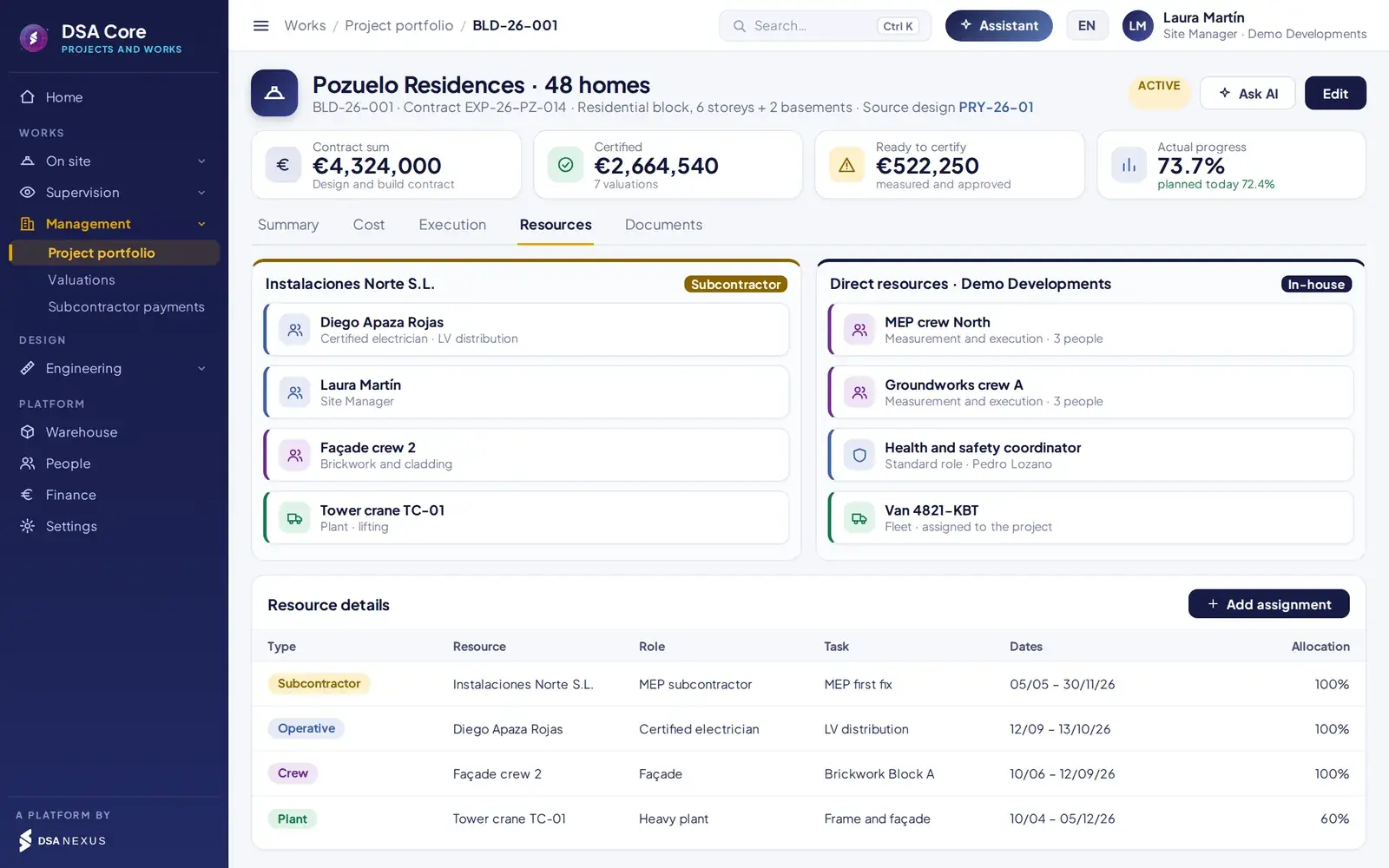
Machinery and vehicles assigned to the works.
Materials plan and stock issue.
Hourly cost and crews.
Their own portal for measurement and output.
Import of price lists.
Sales invoices, settlements and self-billing invoices.
Configurable statuses by type of works.
Grouped under a job.
Companies, people, crews and machinery.
Status by area, with alerts and tasks.
Security and access control
Each user sees and does only what is theirs to do.
- Isolation between companies at database level.
- Role-based permissions: approving measurements and settling output are separate permissions.
- Each user only accesses their own scope: a technician their jobs; a subcontractor their company.
- Full traceability: status history and source document on every stock movement.
Comparison
Compared with a conventional ERP.
Conventional ERPDSA Core Projects and Works
On-site measurementSpreadsheet or paperOffline mobile app with sealed evidence
Control of work doneNot available11 automatic checks per measurement
Works progressManual estimateCalculated from measurements and compared with the plan
Earned value and end dateExternal toolBuilt in, with delay expressed in days
Certification and invoiceManual processFrom approved measurements, with automatic invoice
PieceworkSpreadsheetRates, allocation by hours and single settlement
Material consumptionManual adjustmentsWarehouse issue when the measurement is approved
SubcontractorsNot availablePortal for measurement, output and settlement
Engineering and permitsFile repositoriesISO 19650 and start blocked without permits
Artificial intelligenceNot availableBuilt-in agents, with human approval
Licensing options
Three ways to contract it.
Deliverables, revisions, transmittals, client portal, permits, land parcels, mapping and fees.
Full cycle: engineering, handover, execution, certification and settlement.
Combines both optionsBudget, schedule, measurements, progress, certification, piecework and settlement.
Project typesResidential and build-to-rentOffices and mixed useHotels and student livingRefurbishment and retrofitIndustrial and logisticsAlso telecoms, energy and civil works
ScopeEspañol · English · PortuguêsMulti-currencyMulti-company and multi-country
Frequently asked questions
What we are usually asked before the demo.
Does it work without coverage on site?
Yes. Records are stored on the device and synchronised automatically when coverage returns, photo by photo. No record is discarded without warning.
Do the checks prevent the measurement from being recorded?
No. The 11 checks flag the measurement for review without blocking the record. The supervisor decides when approving or rejecting it.
Do I have to replace my ERP?
No. DSA Core integrates with your existing ERP; it does not replace it. If you prefer, you can also use the DSA Core finance, warehouse and staff modules.
How do you avoid paying twice for the same output?
Output comes from approved measurements and each output is settled only once, with a rate per line item, allocation by hours within the crew and self-billing.
Can I contract only the engineering part or only the works part?
Yes. There are three options: Projects, for engineering firms and technical offices; Works, for contractors and installers; and Projects and Works, with the full cycle.
Do the rule-based agents take actions on their own?
No. The agents propose and no action is carried out without human approval. Each agent only accesses the information authorised for the user, and every query and proposal is logged.
30-minute demo
We’ll show you in 30 minutes, on a case from your sector.
- Demo with sample works, measurements and certifications
- Pilot on a real job with your crews
- Written proposal tailored to your portfolio
- Phased roll-out, without interrupting execution
DSA Core integrates with the ERP you already use; it does not replace it.

The first meeting is with David Soler, founder.WhatsApp +34 615 160 114 · hola@dsanexus.com